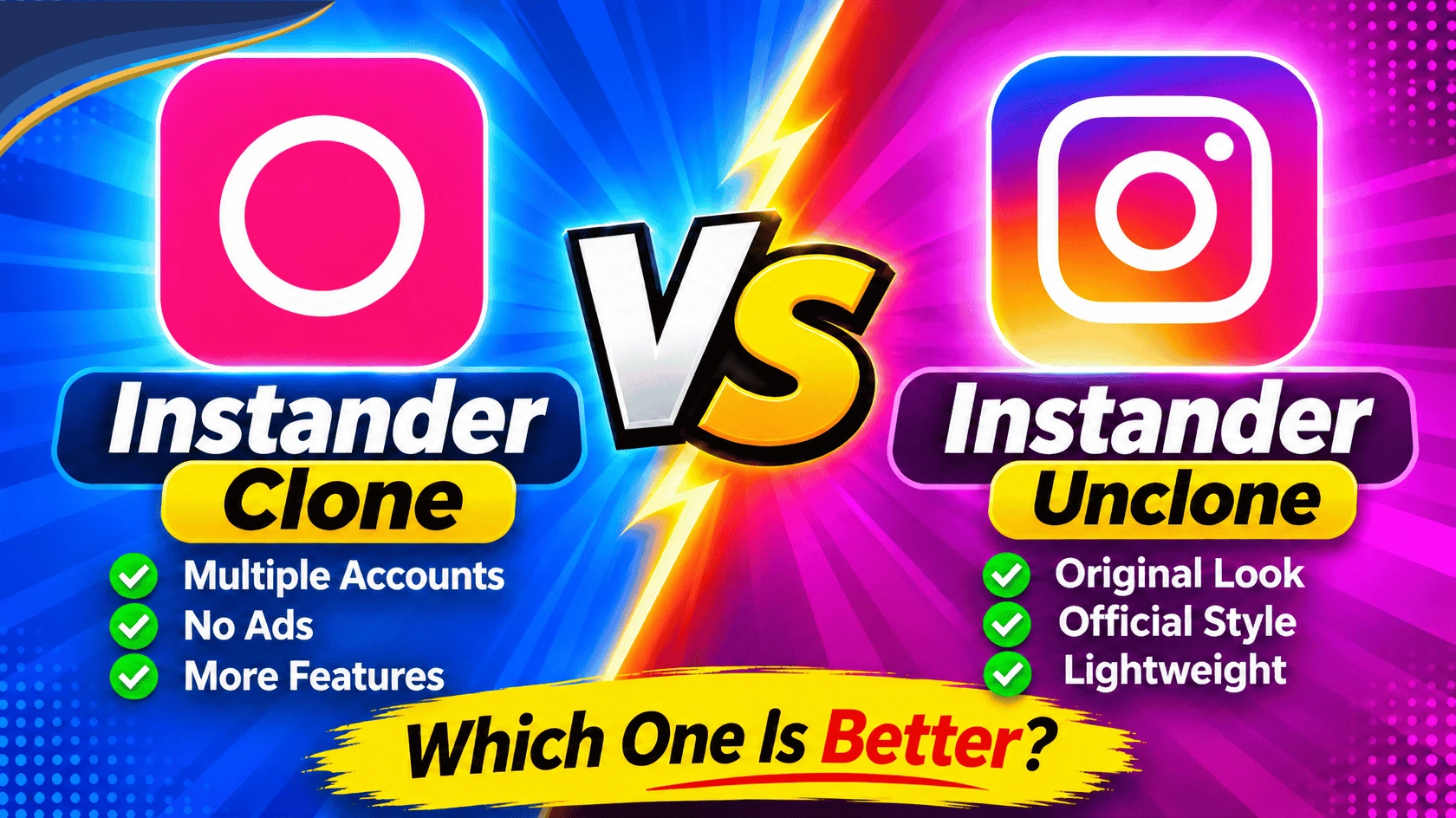
Clone vs Unclone version
Instander APK Clone vs Unclone Version 2026-Which One Is Better?
It can be confusing for users to choose between the clone and unclone versions of Instander APK who are exploring it for the first time. Both versions offer you access to the modified Instagram experience. But their installation methods are different, their package identifiers differ, and their compatibility with the official application differs.
The Instander mod APK is one of the unofficial modified versions of Instagram that fulfill the needs of additional features and customizable settings. It aims to provide a more flexible social media platform experience. However, before you download the Instander APK, it is recommended to understand the behavior of both versions and which installation method is suitable for different device setups.
What Is an Instander Clone APK?
The instander clone Version is a modified Instagram application designed as a standalone version of Instagram. It has a different package identifier. It is recognized as a separate application on Android devices.
This means users can use both applications installed on the same device. For example, a user who uses Instagram for personal space can explore the clone version’s additional features by keeping the official application separate.
The clone version provides its own separate environment, has its own icon, and has data separately from the standard Instagram app.
Key Features of the Clone Version
Separate installation
It is recognized as a separate application on the same Android device.
Different package identifier
It has its own separate package identifier.
Separate application icon
It is recognized with its separate icon in the app drawer.
Flexible account management
Users can manage multiple accounts through separate installations.
Independent application data
It has its own app
cache and settings to maintain it separately.
Note: Most users search for an Instagram clone APK or Instagram clone download, but the main thing you have to understand is that these terms can be used to refer to different Modified apps. So, before installation, you should always check the package identifier.
What Is Instander Unclone APK?
The Uncloned version has the same icon and package name (com.insta.Android) as the original Instagram application. This version saves memory by removing the official app and retaining only the customized file, resulting in an advanced and lightweight app.
This version of Instander needs to uninstall the official app first; otherwise, it shows “APP NOT INSTALLED “Error. It is a perfect version for those who want to keep only one Instagram-based application on their devices at a time instead of having two separate installations.
Key Features of the Unlone Version
Original package identifier
As it is associated with the original Instagram app, it uses the same package name and icon.
Installation conflict
It can cause installation errors if you already have the official Instagram on your device because of using the same identifier.
Single application setup
Generally, users maintain one installation setup.
Replacement installation
Due to the same package permissions, you need to uninstall the existing one.
Account continuity
It requires logging in with the existing Instagram credentials to access the data in the unclone version.
Important Note: Users should know the consequences, such as loss of local data storage, before uninstalling the existing application.
Instander Clone vs Unclone_Main Differences
The main distinction between these versions is how Android handles their application identities. The clone version operates separately, whereas the unclone version uses the original Instagram package identifier.
Let’s understand the main differences between these versions and how Android handles them regarding their app identities and package compatibility.
Comparison | Clone Version | Unclone Version |
Package identifierPackage name | Different identifier from the Original Instagram com.instander. Android | Same identifier as Original Instagram identifier com.insta.Android |
Installation | Separate application | Replaces official or may conflicts with official app |
Official Instagram coexistence | Generally possible | Generally not possible |
Application icons | Two separate icons | Usually one icon |
Application data | Maintained separately | May require a fresh installation |
Account management | More flexible across installations | Uses one installation |
Best suited for | Users wanting both applications | Users wanting one application |
Which Instander Version Should Users Choose?
It depends on the manual installation preference and device behavior on both versions.
Choose the Clone Version If:
Choose the Unclone Version If:
Besides your selected version, users need to understand the possible risks of using an unofficial Instagram third-party app to keep their personal information and credentials secure.
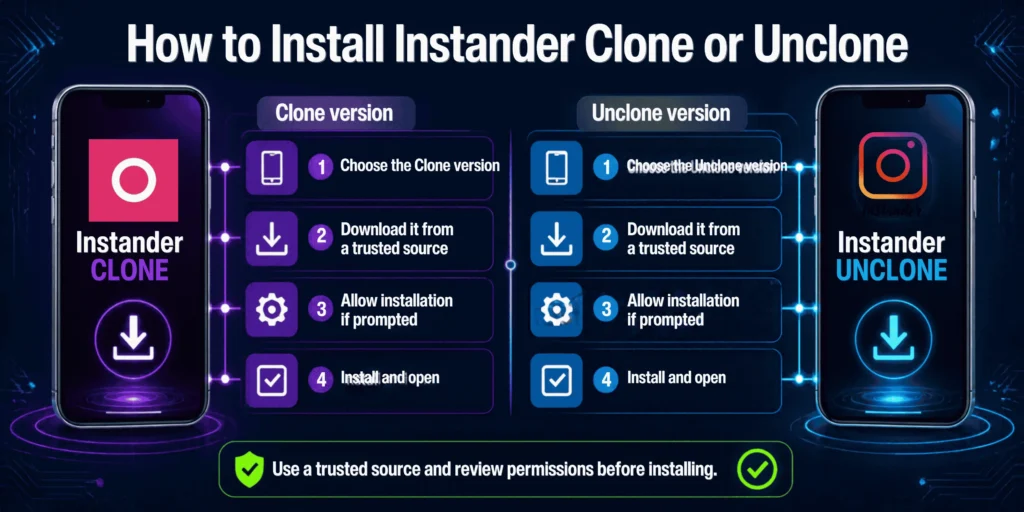
How to Download Instander Clone or Unclone APK
Users who are searching for an Instander APK download first choose which version they need.
When a user searches for an instander download, they may refer to numerous third-party websites that offer different builds. An APK file is safe or authenticated, but it is not proven by the download listing automatically.
Safety check before you proceed
- Verify whether the version is a clone or unclone.
- Check the package identifier and its compatibility.
- Recheck the source and information about the developer.
- Scan the APK file before installing on your device.
- Always check permissions before installation; if you see permissions for sensitive information, skip it.
- Avoid suspicious links or buttons to download if they request personal information.
For complete installation guides and feature details. Explore Instander APK.
Other Instagram Modified Applications
When someone searches for Modified Instagram, it does not mean they only encounter the instander. There are some other modified search terms, including Instagram Plus APK, GB Instagram download, Instagram Black APK, etc.
These are different Unofficial Applications or associated with different modified builds with different features, developers, and security concerns.
Instagram mod APK is another term some users search for to compare customization features, but their advertising features should be verified independently.
Looking for an Instander for PC?
Want to explore Instander on a computer or laptop? Visit our dedicated guide pages to learn about how to use Android emulators, requirements before installation, and how to use Instander on your Laptop/PC.
Want to use Instander on iOS?
Are you a user who uses an iPhone or iPad? Check our dedicated iOS Page to learn about installation, compatibility, and other options.
Frequently Asked Questions (FAQs)
Can Instander Clone and Unclone Be Installed Together?
It depends on whether they can coexist or not. For this purpose, check the package identifier and login arrangement compatibility. Before taking steps for installation, verify it manually.
What Is the Main Advantage of the Clone Version?
The main advantage is that you can use two Instagram-based applications on the same device to keep your space separate for personal use.
Does the Unclone Version Replace Instagram?
It may be replaced because the original Instagram package identifier is different and may cause a conflict between the two versions while installing.
Is Instander Better Than Instagram Plus APK?
Both the Instander and Instagram Plus APK are relatively associated with the modified Instagram application. Depending on their build, their features and compatibility may vary. So, it does not automatically verify which one is better.
Is Instander Login Safe?
Yes, but in some cases users should understand the possible risks and permissions before installing. If it asks for case-sensitive information like personal or account activities, skip it.
Final Verdict
In this session, we understand that instander clone and unclone versions are different mainly in their login environment and requirements. The Clone version is specially designed for users who want to use the official Instagram and modified version at the same time on the same device. On the other hand, the Unknown version is designed for those who want to keep only one Instagram-based application with the original package. Always keep the device permissions that are necessary for this application to safely browse and provide a good user experience. For more information about different versions, visit our dedicated versions guide.